Launch WhatsApp campaigns without relying on manual copy and paste
Connect your line, load contacts and messages from Excel or pasted text, organize sending windows, and track every campaign from one panel.
Free Demo plan · 1 line · 15 days · no card
Need assistants instead? See the agents landingHandled from one workflow
- Load contact bases and messages from Excel, Sheets, or pasted columns.
- Define message delay and daily active window.
- Track sent, failed, and invalid numbers per campaign.
Campaign checklist
- Line connected
- Base loaded
- Window configured
Excel or direct paste
Load campaigns from files or pasted columns.
Pace control
Define delays and active sending windows.
Campaign tracking
See sent, failed, and invalid counts in the dashboard.
From spreadsheet to send in four steps
This page is built around the real product workflow, not a generic promise.
Connect the line
Link your WhatsApp with a QR code and prepare the sending instance.
Load contacts and messages
Upload an Excel file or paste your columns to build the campaign without typing row by row.
Clean the base
Validate numbers or extract contacts from chats so your sending base is cleaner.
Schedule and run
Choose date, delay, active hours, and start sending with campaign-level tracking.
Tools built for real campaign ops
Prepare the base, reduce errors, and execute sends with more control.
Flexible imports
Bring in bases from Excel, Google Sheets, or pasted text.
Number validation
Check which numbers exist on WhatsApp before pushing volume.
Contact extraction
Build new bases from contacts or chats on connected lines.
Active windows
Limit campaigns by daily time window and message delays.
Line-based operations
Run with one line or distribute campaigns across multiple instances.
Clear monitoring
Review totals, sent, failed, and invalid numbers without leaving the dashboard.
Useful for more than promotions
Run sales, operations, and follow-up messaging from the same stack.
Reminders
Appointments, classes, collections, due dates, and follow-ups.
Promotions
News, launches, and segmented sales campaigns.
Reactivation
Reach dormant clients again with focused campaigns.
Owned databases
Extract and organize numbers from your current contacts and chats.
What your team sees inside the panel
Real product screens for connecting, loading, and running campaigns.
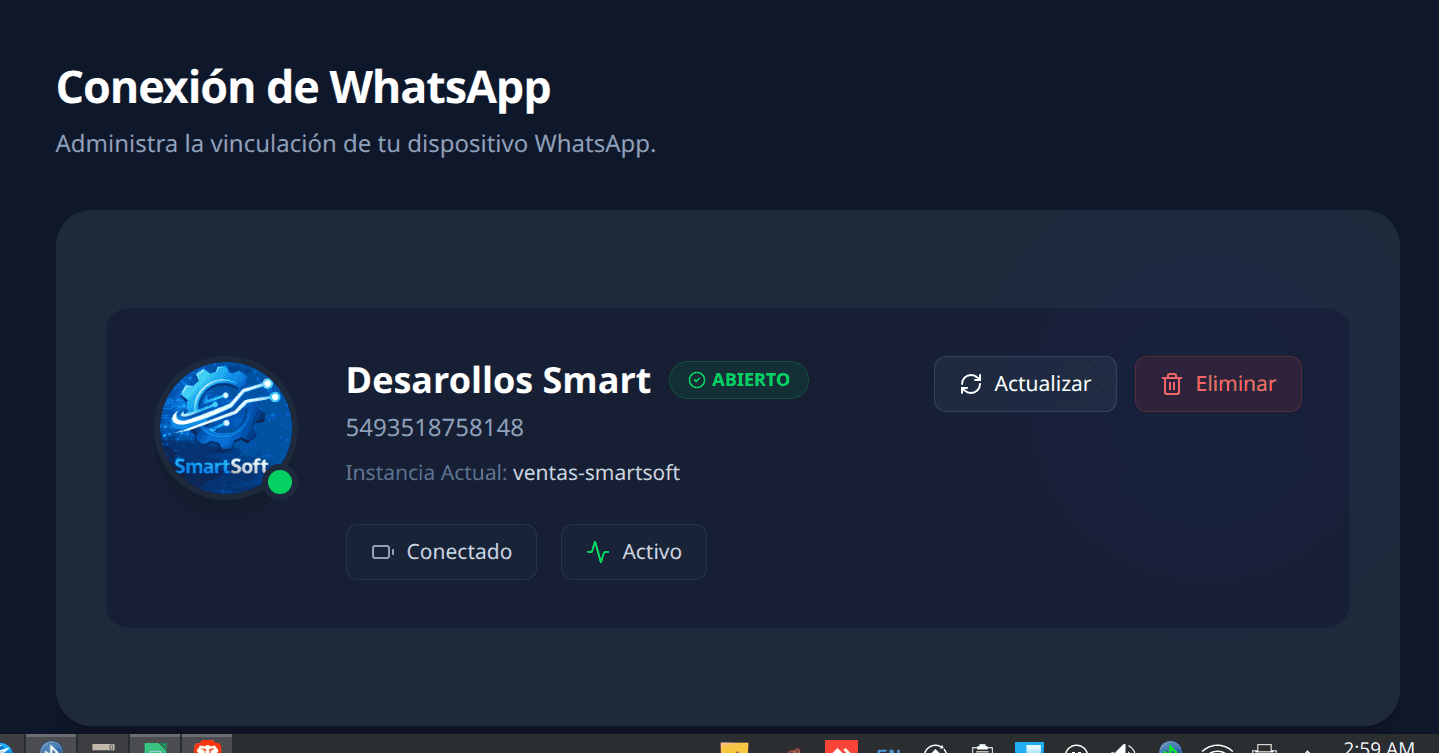
Connect your line
Link your WhatsApp and monitor the status of each instance.
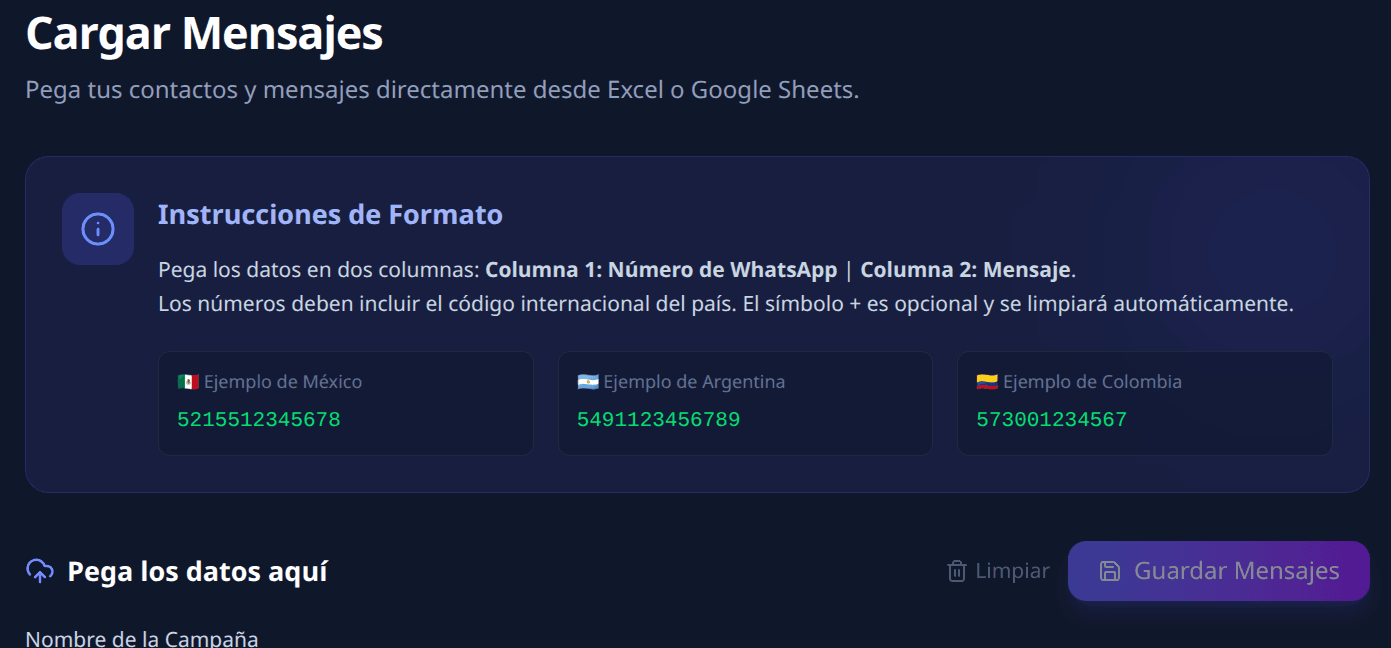
Load contacts and messages
Upload files or paste data with the simple number + message format.
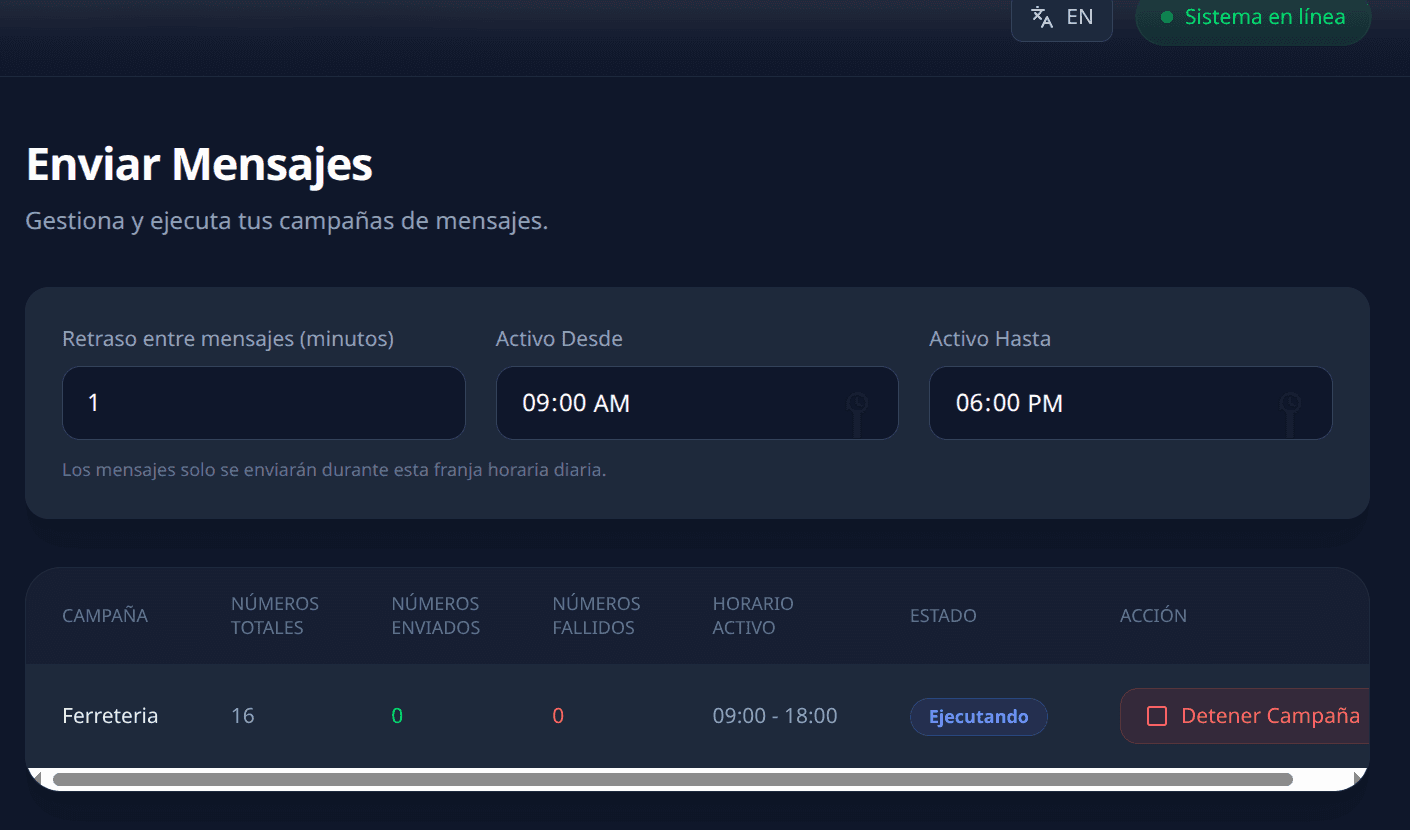
Run and monitor
Set pace, active window, and campaign-level result tracking.
Start with one line and scale when you need to
Try the full workflow first, then expand volume, lines, and operations.
Demo
Free
- 1 WhatsApp line
- Manual or Excel imports
- Campaigns with sending windows
- 15 days of access
- No card required
Operations
Custom
- Higher campaign volume
- More connected lines
- Advanced utilities
- Operational onboarding
If you need validation, multiple lines, or higher volume, we can tailor a plan for you.
Frequently asked questions
No. In this flow you connect your line by scanning a QR code from your phone and operate from the panel.
Ready to organize your WhatsApp campaigns?
Start on the Demo plan, connect your line, and build your first campaign from the panel.
Create my campaign